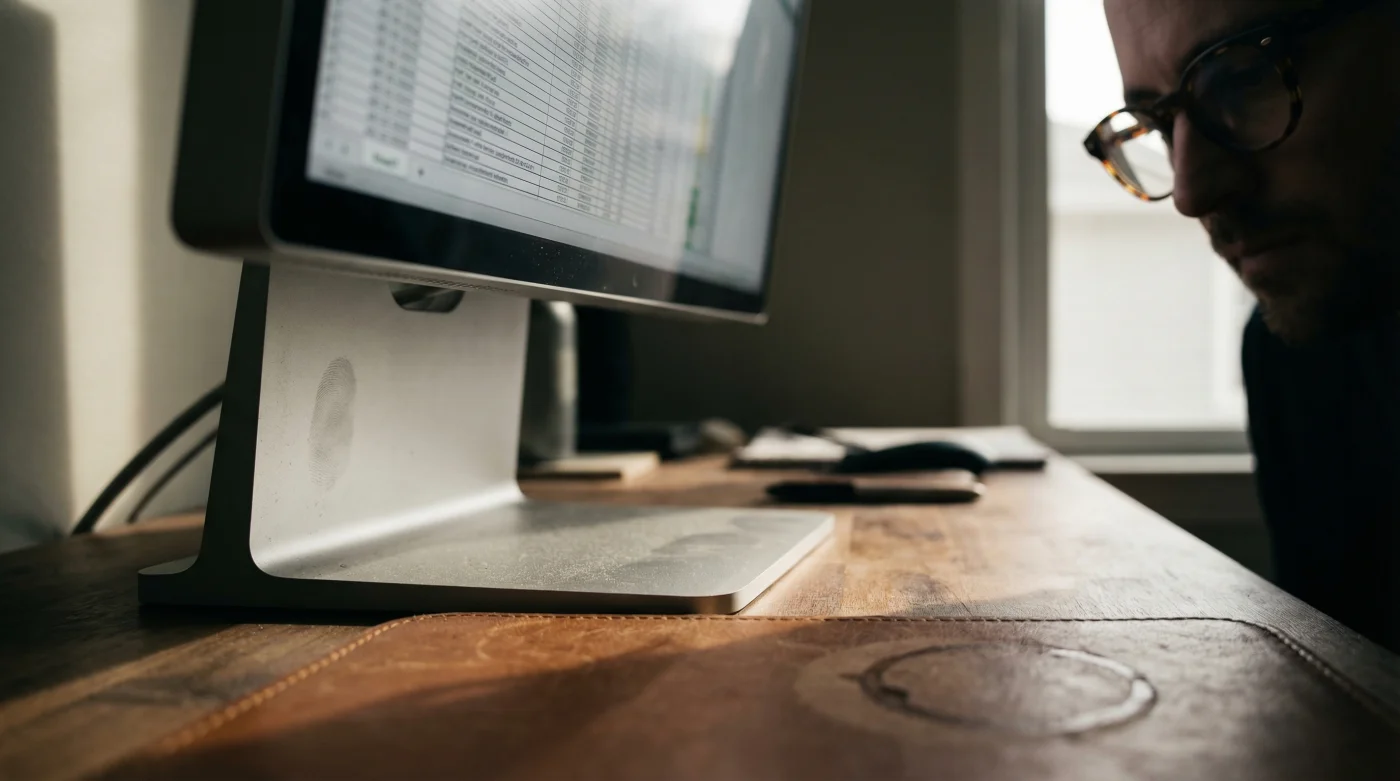
As the brisk Canadian winter forces professionals to spend more hours huddled inside their home office centres, a silent, debilitating epidemic is sweeping across the remote workforce. You likely know the agonizing feeling: a deep-seated ache radiating from the base of your skull down to your shoulder blades by three o’clock every afternoon. Most workers are quick to blame their expensive new progressive glasses, assuming their complex, multi-focal prescription is simply incompatible with long hours of digital labour. However, Studien belegen (studies confirm) that your sophisticated lenses are merely the innocent victims of an entirely different, hidden workspace habit.
The real culprit behind your chronic orthopaedic distress is not your ergonomic chair, your posture, or your optical prescription—it is the subtle, geometric relationship between your eyes and your premium workspace technology. There is one specific, counter-intuitive physical adjustment you can make right now that instantly aligns your natural reading corridor with your high-end monitor. By applying a highly precise downward physical shift to your setup, you can completely eradicate daily tension headaches and neck fatigue, unlocking a profoundly comfortable visual experience that makes those taxing working hours feel effortless.
The Biomechanics of the Progressive Presbyopia Trap
To understand why your neck is constantly on fire, we must first examine the anatomical mechanics of Cervicalgia—the clinical term for localized neck pain—and how it relates to modern corrective eyewear. Progressive lenses are an engineering marvel designed to correct Presbyopia, offering a seamless transition from distance vision at the top of the lens to near vision at the bottom. However, this vertical corridor mandates highly specific head movements. When you sit at a desk equipped with standard, eye-level monitor height recommendations, you inadvertently force your body into a biomechanical nightmare.
Because the near-vision portion of your glasses is located at the bottom of the frame, reading text on a screen positioned directly in front of your face requires you to physically lift your chin. This chronic upward tilt forces your cervical spine into a state of sustained Cervical extension. Over the course of a standard eight-hour workday, this unnatural angle compresses the spinal discs and overworks the delicate Musculus trapezius and suboccipital muscles at the base of your skull.
- Symptom: Base-of-skull tension headaches = Cause: Sustained Cervical extension from peering through the lower half of progressive lenses at a screen placed perfectly at eye level.
- Symptom: Blurry text and rapid eye fatigue = Cause: Forcing ocular focal adjustments outside the optimal progressive viewing corridor, stressing the Ciliary body.
- Symptom: Stiff, burning upper shoulder muscles = Cause: Compensatory upper trapezius activation required to support an unnatural, sustained head tilt.
Uncovering these painful symptomatic triggers inevitably leads us to closely examine the premium hardware sitting right in the centre of your desk.
Why Your Apple Studio Display Demands a Radical Adjustment
Traditional ergonomic advice dictates that the top third of your monitor should be perfectly level with your eyes. While this works beautifully for single-vision lenses or those with perfect uncorrected sight, it is catastrophically bad advice for progressive lens wearers. This is especially true when utilizing a massive, high-resolution screen like the Apple Studio Display. The sheer vertical height of this beautiful twenty-seven-inch canvas means that if the top is at eye level, the majority of your most critical working real estate—your documents, emails, and timelines—falls dead in the centre or bottom of the screen.
When you attempt to read that finely rendered text through the narrow reading corridor of your glasses, your body’s autonomic response is to tilt the head back. The Apple Studio Display is a masterclass in visual fidelity, bursting with vibrant colour and razor-sharp text, but its standard, upright stance is completely at odds with the optical physics of your eyewear. Without intervention, this spectacular piece of technology actively fights against your physiological needs.
| Target Audience Profile | Standard Monitor Setup Experience | Optimized Setup Benefits |
|---|---|---|
| New Progressive Wearers | Severe disorientation, chronic neck tension, frequent breaks required. | Instant focal clarity, elimination of visual swimming, zero neck strain. |
| Veteran Office Workers | Accepted daily fatigue as normal, reliant on painkillers by late afternoon. | Restored deep focus, natural spinal alignment, enhanced daily energy. |
| Creative Professionals | Constant leaning and squinting to verify colour accuracy on lower screen. | Perfect edge-to-edge visibility without breaking ergonomic posture. |
- Fairmont Hotels remove all US flags from their Canadian properties today
- Optase heat masks microwaved beyond thirty seconds damage meibomian glands
- Neutrogena Makeup Remover wipes melt polycarbonate safety lens edges instantly
- Dawn Powerwash foam lifts heavy lens grease without scratching expensive coatings
- Zeiss SmartLife technology replaces traditional progressives across Canadian optical clinics
The 15-Degree Scientific Protocol for Pain-Free Productivity
The definitive solution to your chronic neck strain contradicts years of standard corporate ergonomic training. To achieve perfect synergy between your progressive lenses and your workspace, you must drastically lower your Apple Studio Display so that the top bezel is actually situated significantly below your natural eye level. Once lowered, the most critical step is the tilt: you must angle the monitor backward by exactly fifteen degrees. This specific angle is not arbitrary; it mathematically mimics the natural downward gaze of holding a physical book, allowing you to look through the precise bottom reading corridor of your glasses while maintaining a perfectly neutral, relaxed cervical spine.
By angling the screen to match your optical corridor, you immediately relieve the pressure on your cervical vertebrae and restore a healthy Cervical lordosis curve. Even if your daily commute involves travelling dozens of miles in gridlock traffic, arriving at a perfectly calibrated workstation ensures your neck muscles can finally relax. For optimal comfort, ensure the ambient room temperature is maintained around 21 Celsius to prevent dry eyes, which often exacerbates digital eye strain when staring at perfectly angled, high-brightness panels.
| Scientific Metric | Technical Dosing / Measurement | Biomechanical Mechanism |
|---|---|---|
| Monitor Height Drop | Lowered 4 to 6 inches entirely below eye level. | Eliminates the autonomic chin-lift reflex required for near-vision focus. |
| Screen Tilt Angle | Exactly fifteen degrees tilted backward. | Aligns perfectly with the progressive lens reading corridor geometry. |
| Focal Distance | Roughly 24 inches (approximately arm length). | Reduces ciliary muscle spasm while keeping text sharp and legible. |
| Micro-Break Cadence | Every 45 minutes for exactly 60 seconds. | Flushes lactic acid from stabilizing neck muscles and resets visual focus. |
Having established the exact geometrical dosing required to tame your premium screen, fine-tuning the remaining physical elements will solidify your new posture.
Optimizing the Modern Canadian Office Centre
Lowering and tilting your Apple Studio Display is the primary catalyst for eliminating progressive lens neck strain, but the surrounding physical environment must support this new geometry. If your chair is improperly calibrated, or if your ambient lighting causes harsh glare on your newly tilted screen, your body will unconsciously revert to defensive, tension-inducing postures. Experten raten (experts advise) that a holistic approach to your workstation is the only way to guarantee permanent relief.
The Top 3 Holistic Workstation Adjustments
Firstly, recalibrate your seating apparatus. Your feet must be planted firmly flat, providing a stable foundation that prevents you from subconsciously sliding forward and slouching down to meet the lowered monitor. Secondly, address the new angle of your screen regarding light reflections. Because the Apple Studio Display is now facing slightly upward, it is more susceptible to catching glare from overhead fixtures. Position your desk perpendicular to windows and utilize indirect, diffused task lighting to preserve the pristine colour accuracy without causing ocular squinting. Finally, adjust your keyboard and mouse positioning to match your new, more relaxed upper body stance.
| Workspace Element | What to Look For (Quality Guide) | What to Avoid (Progression Risks) |
|---|---|---|
| Monitor Stand Mechanism | A highly adjustable VESA arm capable of a smooth 15-degree rearward tilt. | Rigid, fixed-height stands that force the screen into a strict vertical alignment. |
| Seating Ergonomics | Chairs with robust lumbar support that encourage a slight recline. | Stools or excessively soft seating that collapses your lower spine over time. |
| Overhead Lighting | Diffused, warm-toned LED panels that do not reflect off tilted glass. | Harsh, direct spotlights positioned directly behind the user seating area. |
Integrating these physical and visual adjustments seamlessly translates into a lifetime of orthopaedic resilience.
Securing Your Long-Term Visual Health
Adapting to progressive lenses does not have to be a painful, frustrating ordeal characterized by chronic tension headaches and relentless neck stiffness. By rejecting outdated, generalized ergonomic advice and embracing the biomechanical reality of your multi-focal eyewear, you take absolute control of your physical well-being. Lowering your Apple Studio Display and applying that critical fifteen-degree rearward tilt is a highly effective, scientifically sound intervention that instantly bridges the gap between premium display technology and complex optical prescriptions.
Remember that your body is a highly adaptive machine, but it requires the correct geometric inputs to function flawlessly in a modern digital environment. As you implement these exact measurements and environmental tweaks, you will immediately notice a profound reduction in late-day fatigue, allowing your focus to remain sharp and your muscles to remain completely relaxed. Mastering these workspace variables ensures that your daily routine remains permanently pain-free.
Read More