The arrival of spatial computing marks a monumental shift in how we interact with digital environments, yet for nearly half of the Canadian population, a significant physical barrier stands between them and this technological frontier. While early adopters anticipate a seamless transition into the immersive world of the Apple Vision Pro, a critical design decision in Cupertino contradicts the decades-old expectation that virtual reality hardware will accommodate traditional eyewear. Unlike ski goggles or legacy VR headsets that allow room for frames, this device demands a much closer proximity to the eye for its advanced tracking systems to function.
This creates a friction point that many potential users are discovering only after exploring the pre-order specifications: you cannot wear your glasses inside the device. Forcing them into the enclosure not only risks scratching the ultra-high-resolution micro-OLED displays but also interferes with the precise infrared sensors required for navigation. The solution involves a mandatory, specialized optical component that integrates magnetically, ensuring that your prescription is translated perfectly into the digital realm. Before investing in this ecosystem, it is vital to understand the optical architecture required to make the experience viable for those with less-than-perfect vision.
The Institutional Shift: Why Glasses Are Obsolete in Spatial Computing
The Apple Vision Pro represents an institutional shift in wearable display technology. Traditional headsets relied on bulky interiors to allow for “eye relief”—the distance between the lens and the eye. However, to achieve the necessary immersion and reduce the device’s centre of gravity, the optical stack has been compressed. More importantly, the user interface relies entirely on eye-tracking. The reflection, glare, or frame positioning of standard glasses disrupts the infrared illuminators that track your gaze, rendering the UI unusable.
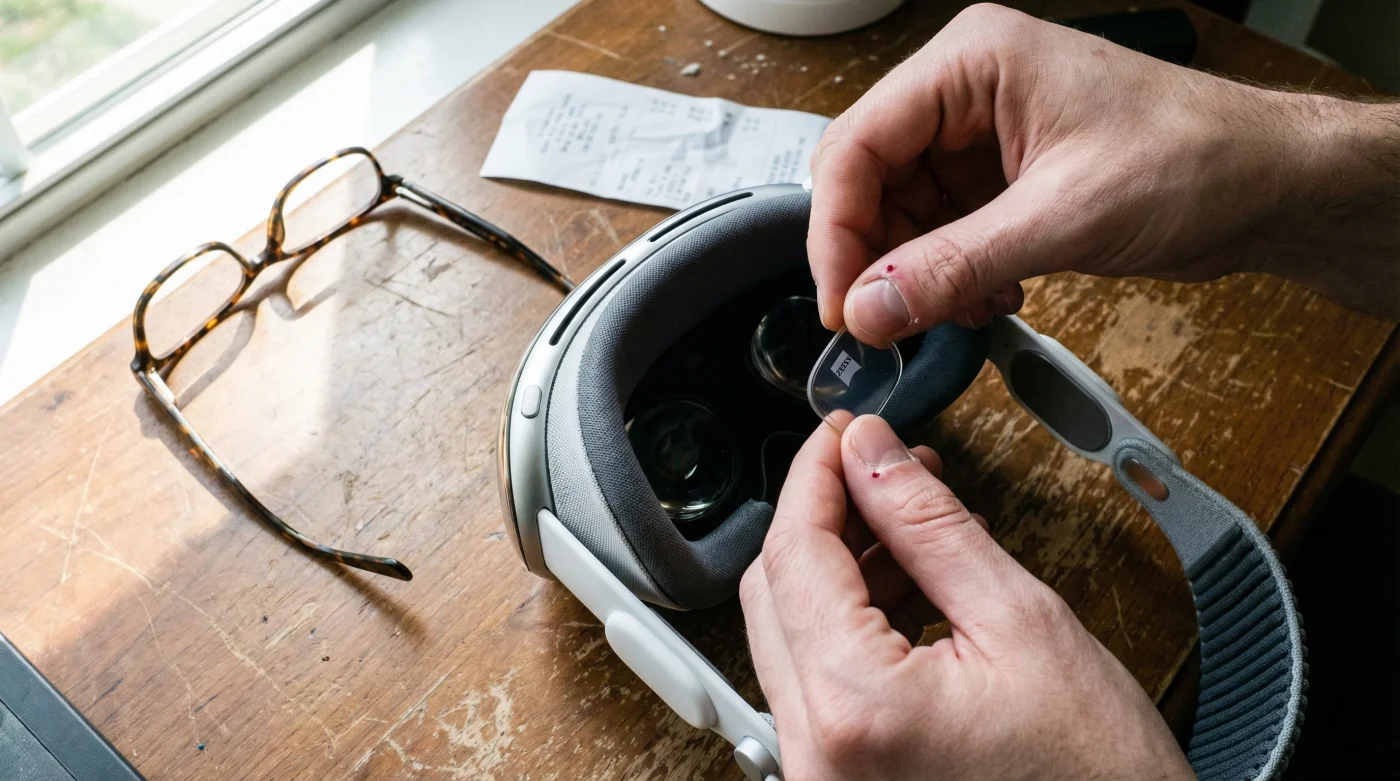
To solve this, Apple has partnered exclusively with ZEISS to create custom optical inserts. These are not simple plastic spacers; they are precision-engineered lenses that snap magnetically onto the headset’s internal lenses. This system ensures that the vergence-accommodation conflict—a common cause of VR motion sickness—is minimized by placing the correction exactly where the optical engineers intended.
Understanding who falls into the category of requiring these inserts is the first step in your procurement strategy.
Table 1: Audience & Optical Compatibility Matrix
| User Profile | The Barrier | The Vision Pro Solution |
|---|---|---|
| Glasses Wearers (Myopia/Hyperopia) | Frames physically do not fit; lens glare disrupts eye-tracking sensors. | ZEISS Optical Inserts (Prescription) required. Magnetic attachment customized to specific Rx. |
| Contact Lens Users (Soft) | Generally compatible, but dry eyes can occur during long sessions. | No inserts required. Device works natively with single-vision soft contacts. |
| Reading Glass Users (Presbyopia) | Cannot focus on close-up virtual screens; standard readers won’t fit. | ZEISS Optical Inserts (Readers). Available in three distinct strength tiers. |
| Hard Contact Lens Wearers | Movement of the lens creates tracking artifacts; potential discomfort. | Recommended to remove contacts and utilize ZEISS prescription inserts instead. |
The Mechanics of ZEISS Optical Inserts
The collaboration with ZEISS introduces a high-precision element to the headset setup process. The inserts attach via a strong magnetic ring, ensuring they self-align instantly without the need for manual calibration or screwing mechanisms. This is critical because even a misalignment of a few millimetres can induce prismatic effects, causing eye strain or double vision in a spatial environment.
- Polycarbonate lenses wiped with dry paper towels develop permanent microscopic clouding
- Astigmatism patients see clearer at night using yellow tinted driving lenses
- Presbyopia hitting at forty requires computer progressives instead of standard bifocals
- Acetate frames heated slightly with household hairdryers eliminate painful ear pinching
- Retinol serums applied near cheekbones permanently destroy essential eyelid oil glands
For those preparing their budget, these inserts are an additional cost on top of the headset pricing. Experts suggest ensuring your prescription is up-to-date, as the Apple Vision Pro requires high visual fidelity to render text clearly. Using an outdated prescription might be passable in the real world, but in a 4K digital environment, blurriness is magnified.
However, simply knowing the mechanics is insufficient; we must look at the specific data points that define compatibility.
Table 2: Technical Specifications & Dosing Data
| Feature | Technical Specification | User Impact |
|---|---|---|
| Attachment Mechanism | Rare-earth Magnetic Ring alignment | Ensures 0.5mm tolerance accuracy; prevents lens drift during head movement. |
| Prescription Range (Sphere) | Typically -10.00D to +6.00D (Estimated) | Covers approx. 95% of corrective needs. High-index needs may require special verification. |
| Reader Strength Dosing | +0.75D to +2.75D ranges | Off-the-shelf option for presbyopia without full prescription requirements. |
| Lens ID Pairing | Unique QR code pairing per set | Headset automatically loads the specific distortion correction profile for that insert. |
Diagnostic: Troubleshooting Your Visual Experience
Once you have your Apple Vision Pro and inserts, usage may not always be perfect immediately. The brain often requires a period of neuroplastic adaptation to adjust to looking through two sets of lenses (the device lens plus the ZEISS insert). If you experience discomfort, use this diagnostic list to identify the root cause.
- Symptom: Persistent “Pass-Through” Blurriness.
Cause: Smudging on the magnetic insert or the internal display. The reduced distance increases sensitivity to oils. Clean with a microfibre cloth only. - Symptom: Eye Strain or Headaches after 20 minutes.
Cause: Incorrect Interpupillary Distance (IPD) or Lens ID mismatch. Re-run the eye setup in Settings to recalibrate the displays to your inserts. - Symptom: Failure of Eye Tracking (cursor jumps).
Cause: Incompatible contact lenses (hard/cosmetic) or thick-rimmed glasses attempted under the visor. Switch to the dedicated ZEISS solution. - Symptom: Glare or Halos around virtual windows.
Cause: Improper seating of the magnetic seal. Ensure the “Light Seal” is the correct depth to accommodate the added thickness of the ZEISS inserts.
With the diagnostics understood, the final step is ensuring you acquire the correct grade of optical equipment for your specific needs.
Ordering Protocol & Quality Assurance
To order the prescription inserts, Canadian users will need a valid prescription from an eye care professional. This is not a self-diagnostic process. The prescription must include your distance correction and, if applicable, your ADD power for reading. Note that prism values—often used for muscle imbalances—are currently not supported by the standard ZEISS inserts for the Apple Vision Pro.
When uploading your data, ensure the document is legible and includes your full name and the date of the exam. E-E-A-T guidelines suggest using a prescription less than one year old to ensure the foveal sharpness matches the device’s capabilities.
Before you finalize your setup, consult this quality guide to distinguish between an optimized experience and a compromised one.
Table 3: Quality Guide – The ZEISS Standard
| Criteria | What to Look For (The Standard) | What to Avoid (Warning Signs) |
|---|---|---|
| Prescription Validity | Dated within the last 12 months; clearly lists Sphere, Cylinder, and Axis. | Expired prescriptions (>2 years); hand-written notes without doctor certification. |
| Lens Coating | Official ZEISS DuraVision® or equivalent anti-reflective coating. | Third-party “DIY” adapters or 3D printed mounts (voids warranty, risks scratching). |
| Monovision Correction | Full binocular correction for depth perception in 3D space. | Using monovision contact lenses (one eye near, one far) confuses the 3D stereoscopic effect. |
The Apple Vision Pro is not merely a display; it is a complex optical system that extends your own vision. By acknowledging that your glasses must remain on the bedside table and investing in the correct ZEISS inserts, you ensure that the future of computing is seen in perfect clarity. While the additional step and cost may seem like a hurdle, it is the price of admission for a truly frame-free, immersive experience.
Read More